
Email Signatures
Standard
| Name Title Building, Room Number O: (xxx) xxx-xxxx M: (xxx) xxx-xxxx |
 |
| ––––––––––––––––––––––––––––––––––––––– We are stronger together. Solidarity Statement |
Event Promotion
 |
Name Title Building, Room Number O: (xxx) xxx-xxxx M: (xxx) xxx-xxxx |
 |
How to add an email signature in Outlook
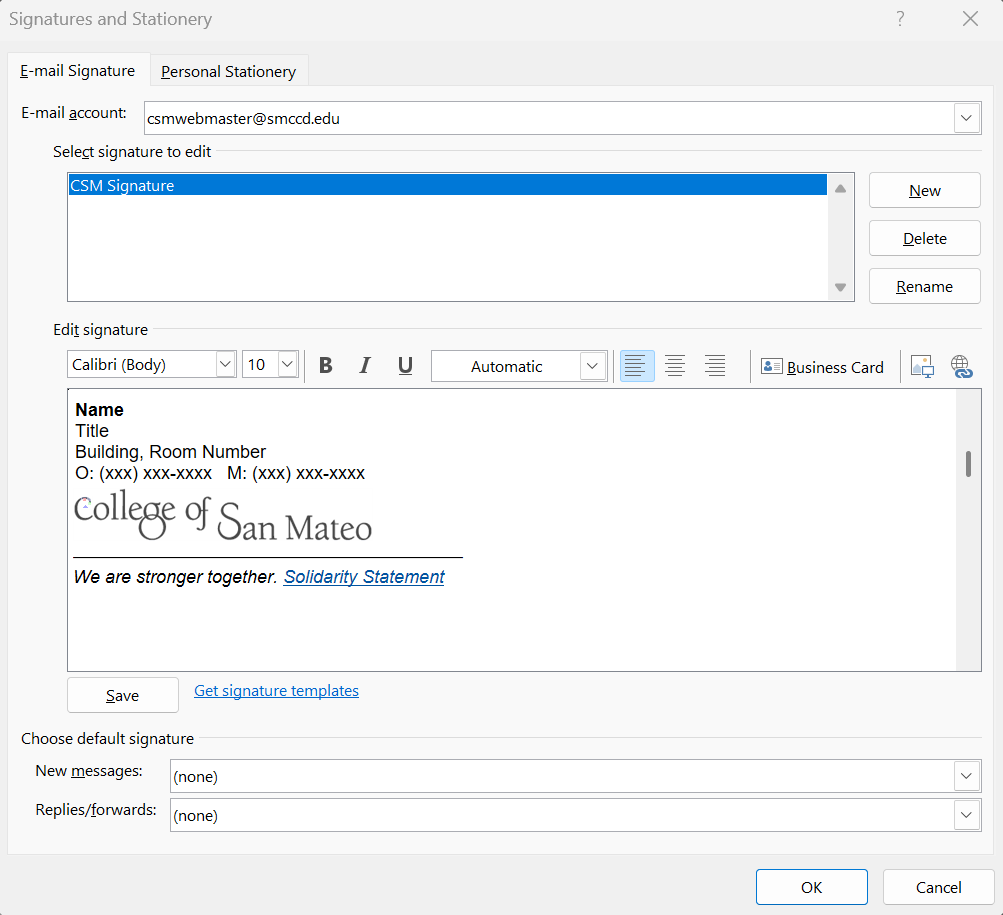
How to Add a Signature in Outlook on a Windows PC
- Go to File > Options > Mail > Create or modify signatures for messages
- Click on the "Signatures" button
- Click on "New" button
- Type a name for the signature
- Choose the signature you like, select all the elements in it, use Ctrl+C to copy the elements, then paste them into the signature editor.
- Chose a default signature if you want to use one by default
- Click on "OK"
- Click on "OK"
To use the signature:
- Create a new email
- Click on "Insert" in the top menu
- Click on the Signature drop down menu
- Select the signature you want to use
How to Add a Signature in Outlook on a Mac
- Open Outlook Preferences
- Launch Outlook on your Mac.
- In the top menu bar, click on Outlook and select Settings from the dropdown menu.
- Access the Signatures Section
- In the Outlook Settings window, under the Email section, click on Signatures.
- Create a New Signature
- In the Signatures window, click the + button to create a new signature.
- Name your signature (e.g., "New Email” or “PAC Dinner Signature Block").
- Design Your Signature
- In the signature editor, copy the image and text from the sample template below provided
- When you copy the graphic image, right click and ensure you also copy and insert the hyperlink
- You can resize the graphic image to appear the size you want it.
- Set Your Default Signature
- Under the Choose default signature section, select the email account you want to associate with this signature.
- Choose your new signature for New messages and/or Replies/forwards.
- Save and Close
- Once you’re satisfied with your signature, click Save.
- Close the Signatures window.
- Test Your Signature
- Compose a new email to ensure your signature appears as expected.
Veterans Holiday Weekend
November 7-9, 2026
November 7-9, 2026
Thanksgiving Weekend
November 26-29, 2026
November 26-29, 2026
Final Examinations
December 13-19, 2026
December 13-19, 2026